What follows on the next few pages are a few problems to test your knowledge of Multi Table Queries. These problems will utilize the Auntie B database. On Canvas download the AuntieB.zip file to your computer. You can find this folder in Module 0, Required Software Screencasts. It will be located near the bottom of this page. This folder contains a script file you can execute in SQL Server Management Studio if you wish. More importantly you will see a file that will detail the ERD or overall structure of this database. Open this file and study it. A picture of this ERD is below:

Question 1
Create a query that will display the first and last name of those workers who where hired in 2016 and have not left Auntie B’s. Sort your output by the worker’s last name.
FirstName       LastName        HireDate         TermDate
--------------- --------------- ---------------- ----------------
Austin          Jackson               2016-04-01             NULL
Raja            Ram                   2016-06-22             NULL
Mark            Sims                  2016-06-22             NUL
Question 2
Create a query that will display the item ID, item name, max and min price for all items that are toys and have a min price greater than or equal to $10. Make sure you use the following column headings when displaying your output: Item ID, Name, Max Price and Min Price. Finally sort your output so that the highest Max Price item is listed first.
Item ID     Name                      Max Price Min Price
----------- ------------------------- --------- ---------
       1041 Toys Baby                     15.00     10.00
       1023 Toys Baby                     11.00     10.00

Question 3
Create a query to show the name of the employee (first and last) along with the order id and order date. Limit your output to only show those orders place in December of 2016. When displaying your results, concatenate the first and last name columns so that they appear as one column. Title this column ‘Employee Name’. Further title the OrderID column Order ID and the OrderDate column Order Date. Finally sort your output in alphabetical order by last name.
Employee Name                   Order ID    Order Date
------------------------------- ----------- ----------------
Ben Axch                               1008       2016-12-15
Ben Axch                               1009       2016-12-20
Althea Timothy                         1007       2016-12-10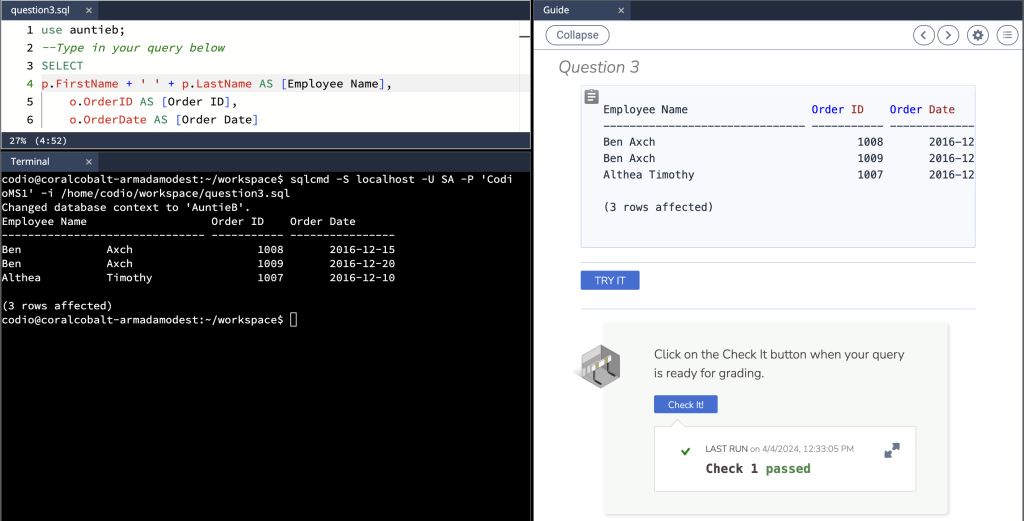
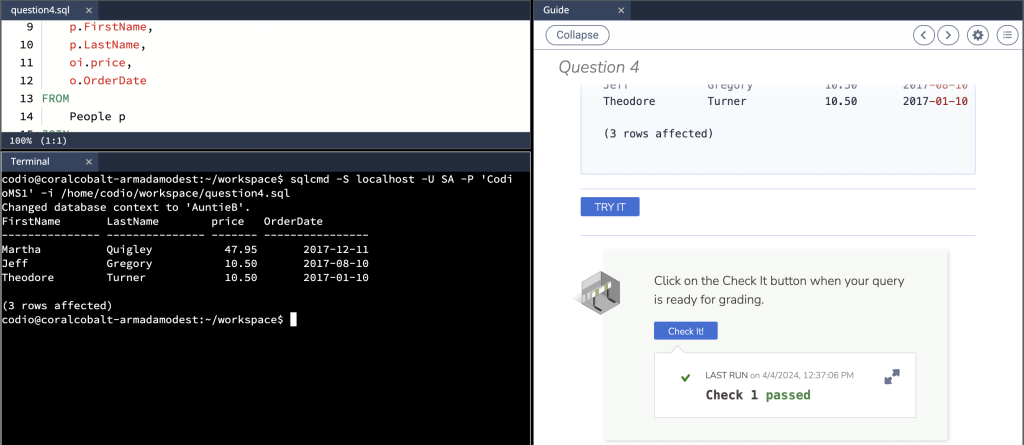
Question 4
Create a query to show the first and last name of customers who purchased something from Auntie B’s. Additionally display the price of the item they purchased along with the order date. Filter your results to only show those orders that were completed in 2017 and had prices greater than or equal to $10. Finally sort your result set to show the highest priced item and last name of the customer in alphabetical order.
FirstName       LastName        price   OrderDate
--------------- --------------- ------- ----------------
Martha          Quigley           47.95       2017-12-11
Jeff            Gregory           10.50       2017-08-10
Theodore        Turner            10.50       2017-01-10
Question 5
FirstName       LastName        Name                 DonationDate     value
--------------- --------------- -------------------- ---------------- -------
Judy            Barney          Helping Hands              2018-12-31    2.99
Michele         Ross            Helping Hands              2019-01-01    2.99
Kemson          Brian           Focus Hope                 2019-04-13    5.00
Kemson          Brian           Focus Hope                 2019-04-22   10.00
Judy            Barney          St. John Hospital          2019-04-27   27.00
Judy            Barney          St. John Hospital          2019-04-27   85.00
Apple           Johnny          Helping Hands              2019-05-01   12.50
Apple           Johnny          Helping Hands              2019-05-02  110.50
Judy            Barney          Fresh Start Charity        2019-06-01    8.00
Judy            Barney          Fresh Start Charity        2019-06-01    4.00
Ginter          Lisa            Boy Scouts                 2019-06-15  250.00
Ginter          Lisa            Boy Scouts                 2019-06-30    5.00
Apple           Johnny          Helping Hands              2020-03-26    9.00
Smith           James           St. Jude                   2021-04-10   50.00
Smith           James           St. Jude                   2021-04-10  150.00
Rose            Miller          Helping Hands              2021-07-14    6.00

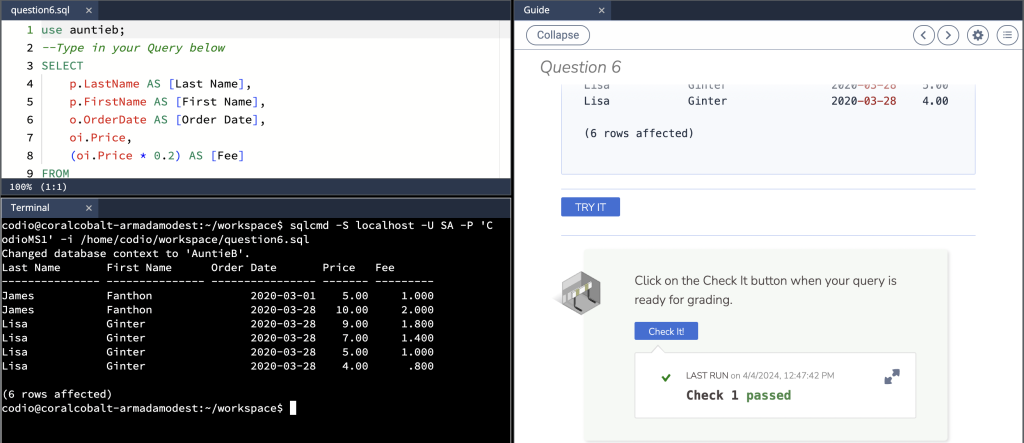
Question 6
Create a query to show the first and last name of the owners who sold items in 2020. Additionally include in your query the order date, price and the fee amount (20% of the selling price). Name your columns First Name, Last Name, Order Date, Price and Fee. Finally sort your output by order date so that the latest date appears last and the highest priced item appears first.
Last Name       First Name      Order Date       Price   Fee
--------------- --------------- ---------------- ------- ---------
James           Fanthon               2020-03-01    5.00     1.000
James           Fanthon               2020-03-28   10.00     2.000
Lisa            Ginter                2020-03-28    9.00     1.800
Lisa            Ginter                2020-03-28    7.00     1.400
Lisa            Ginter                2020-03-28    5.00     1.000
Lisa            Ginter                2020-03-28    4.00      .800