
More Practice Instructions
What follows on the next few pages are a few problems to test your knowledge of Grouping Data. These problems will utilize the Auntie B database. On Canvas download the AuntieB.zip file to your computer. You can find this folder in Module 0, Required Software Screencasts. It will be located near the bottom of this page. This folder contains a script file you can execute in SQL Server Management Studio if you wish. More importantly you will see a file that will detail the ERD or overall structure of this database. Open this file and study it. A picture of this ERD is below:

Question 1
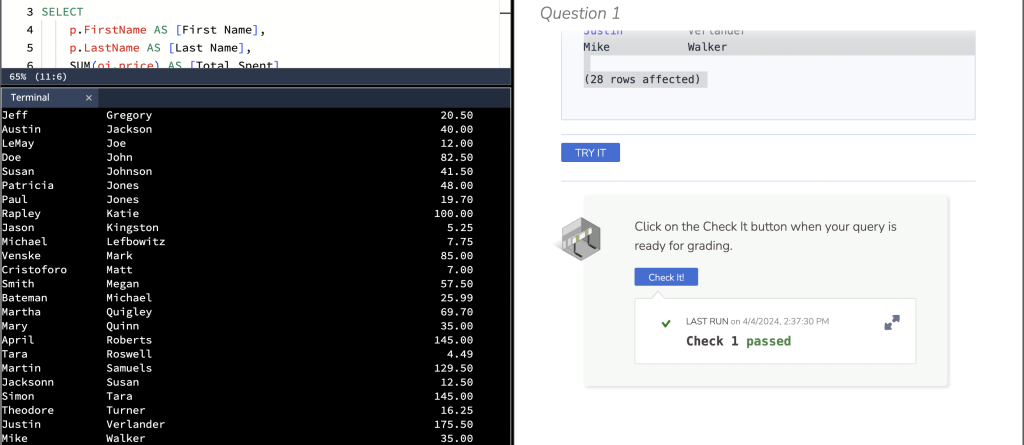
Create a query to show the first and last name of the customer along with how much they purchased at Auntie B’s. Sort your output by lastname is alphabetical order.
HINT: When grouping put the last name first.
First Name      Last Name       Total Spent
--------------- --------------- ----------------------------------------
Chad            Axch                                               36.50
Jacob           Blake                                               4.75
Miguel          Cabrera                                           125.00
Doug            Catchpole                                           8.50
Jeff            Gregory                                            20.50
Austin          Jackson                                            40.00
LeMay           Joe                                                12.00
Doe             John                                               82.50
Susan           Johnson                                            41.50
Patricia        Jones                                              48.00
Paul            Jones                                              19.70
Rapley          Katie                                             100.00
Jason           Kingston                                            5.25
Michael         Lefbowitz                                           7.75
Venske          Mark                                               85.00
Cristoforo      Matt                                                7.00
Smith           Megan                                              57.50
Bateman         Michael                                            25.99
Martha          Quigley                                            69.70
Mary            Quinn                                              35.00
April           Roberts                                           145.00
Tara            Roswell                                             4.49
Martin          Samuels                                           129.50
Jacksonn        Susan                                              12.50
Simon           Tara                                              145.00
Theodore        Turner                                             16.25
Justin          Verlander                                         175.50
Mike            Walker                                             35.00

(28 rows affected)
Question 2
Create a query that will show how many people there are in each category stored in the PeopleType column. Include in your query the name of each type along with the total number of people in that type. Sort your query by PeopleType.
peopletype
---------- -----------
CHAR                14
EMP                 20
OC                  56

(3 rows affected)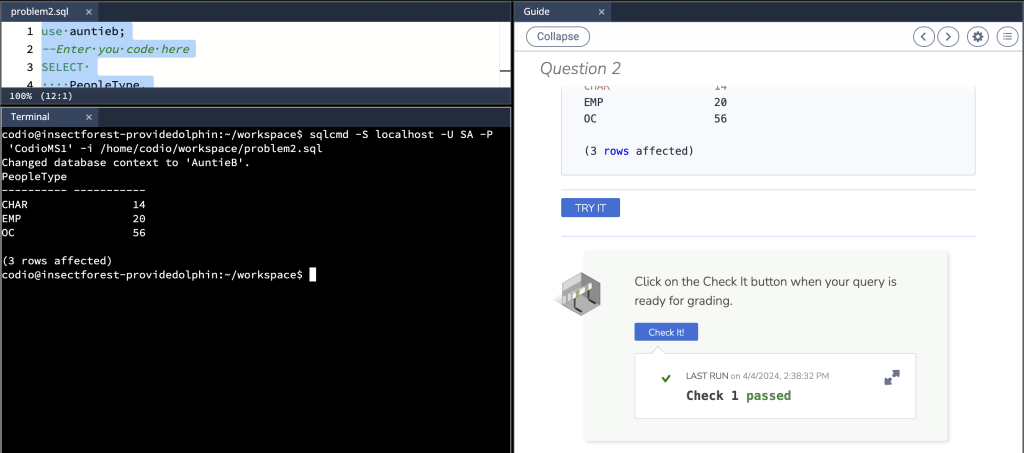
Question 3
Create a query that will display the year a customer joined Auntie B’s along with the total of how many other customer/owners joined that year. Title your columns Year and Number Joined. Sort your results by the total number of customer/owners who joined showing the year with the highest amount first.
Year        Number Joined
----------- -------------
       2019            21
       2016            18
       2017             7
       2018             6
       2020             3
       2021             1
       2009             1

Question 4
city
------------------------------ -----------
Roseville                                3
Utica                                    3
Warren                                  14

Question 5
Create a query to show the first and last name of each owner along with how much money Auntie B’s has paid them in consignment fees. The consignment fee is 20% of the price the item sold for. Restrict your output to only show those owners who were paid $20 or more. Sort your output by the total paid, showing the person who was paid the most at the top. Finally name your columns First Name, Last Name and Total Paid.
First Name      Last Name       Total Paid
--------------- --------------- ----------------------------------------
Miguel          Cabrera                                          42.1000
April           Roberts                                          29.0000
LeMay           Joe                                              29.0000
Prince          Fielder                                          25.0000
Venske          Mark                                             20.0000

(5 rows affected)
Question 6
Create a query to show the name of an item, its size and the total amount that was sold for that name and size. Restrict your output to show those items that were clothes. Further restrict your result set to show those clothes and sizes that had total sales of $15 or more. Sort your output set my the name and size. Finally title your columns Name, Size and Total Sold
Name                      Size            Total Sold
------------------------- --------------- ----------------------------------------
Clothes Ladies            10                                                 15.50
Clothes Ladies            12                                                 32.50
Clothes Ladies            14                                                 20.00
Clothes Men               XXL                                                25.99
Clothes Men               XXXL                                              125.00

(5 rows affected)
Question 7
Create a query to show the year an order was taken, the name of the item sold and the total for all items sold in that year. Restrict your output to show those items that were furniture. Further restrict your output to show those years and items where the total sales was $80 or more. Sort your output by the year the item sold. Finally title your columns Year Sold, Name and Total Sold.
Year Sold   Name                      Total Sold
----------- ------------------------- ----------------------------------------
       2018 Furniture Adult                                              80.00
       2019 Furniture Adult                                             378.00
       2019 Furniture DR                                                 85.00
       2019 Furniture LR                                                182.50
       2019 Out Door Furniture                                          145.00

(5 rows affected)


